Miles Pending and Posting Timelines
Last updated April 13, 2026
The amount of time it takes for your Rove Miles to post to your account will vary based on what you’ve been doing.
Shopping
Just wrapped up a shopping trip? Here’s when to expect your miles.
- Pending: Between 24 hours to 10 days
- Posted: Between 60 to 100 days
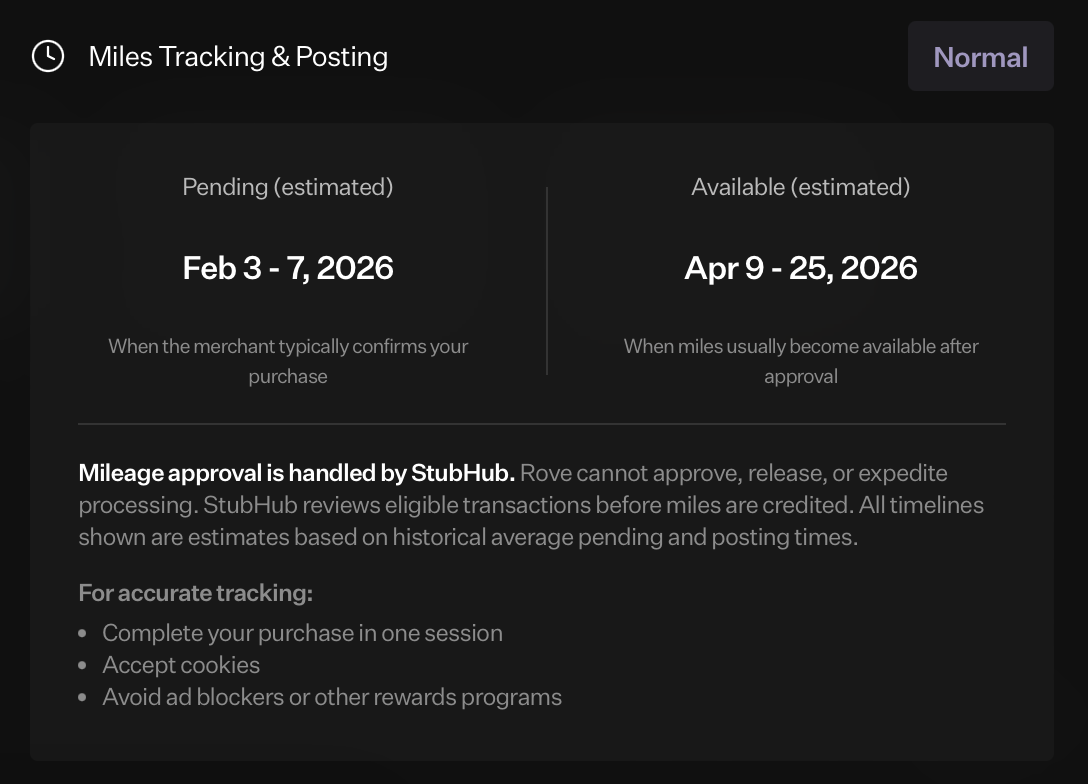
To help you estimate when your Rove Shopping miles are going to post, we've also introduced Merchant Timelines. These help you see average pending and posting timelines, broken down by merchant.
Hotels
Hotels have different posting times based on what type of booking you’ve completed.
Rove Rates:
- Nonrefundable bookings: Miles post immediately
- Refundable bookings: Miles post within 1 day after checkout
Loyalty Eligible:
- Nonrefundable and refundable bookings: Miles post between 8-12 weeks after checkout
Flights
- Miles post only after your flight has been completed
How to Report Missing Miles
Haven’t received your miles? Here’s what to do to make sure you’re credited properly.
- Wait until the standard posting window has passed (for shopping, wait 10 days before filing a claim).
- Gather proof of purchase (receipt, confirmation email, booking ID—anything that ties the transaction to you).
- Submit the Missing Miles form after selecting your shopping trip from your profile or shopping page.
- We’ll get back to you as quickly as possible.
Was this article helpful?