How to Report Missing Shopping Miles
Last updated March 25, 2026
If your shopping miles haven’t shown up yet, don’t worry. Most issues are easy to resolve. Follow the steps below to ensure your account is credited correctly.
1. Allow the standard posting window to pass.
Different partners post miles at different speeds, and many require a short waiting period before we’re able to investigate. For shopping transactions, please wait 10 days from the date of purchase before submitting a claim.
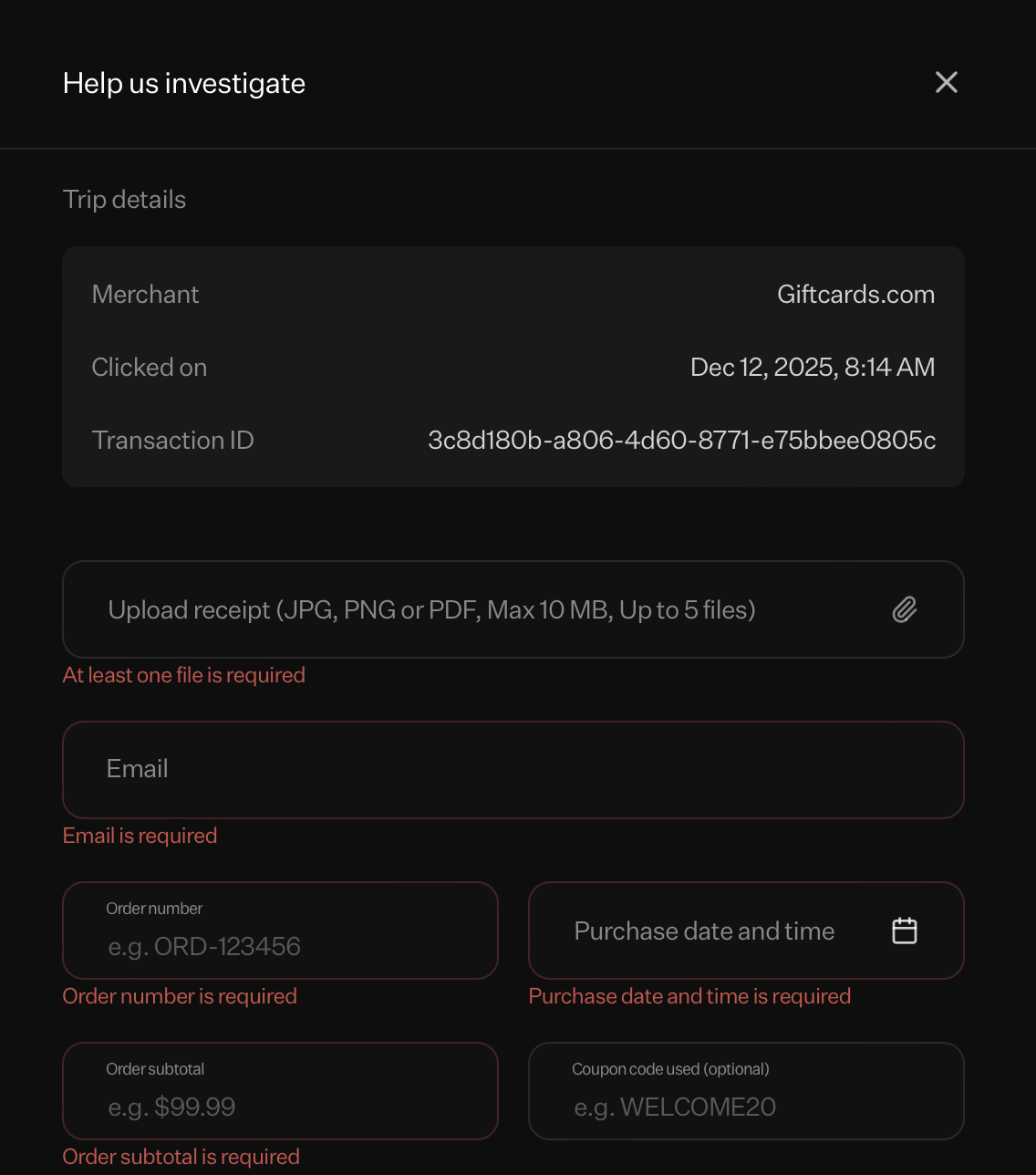
2. Gather your proof of purchase.
To help us verify your claim quickly, make sure you have documentation that clearly connects the transaction to you. This includes:
- An order receipt
- Your order number
- Order date and time
- Order total
Providing complete information speeds up processing.
3. Submit a Missing Miles request.
Once you have your documents ready, head to rovemiles.com and open the Shopping Trips section.
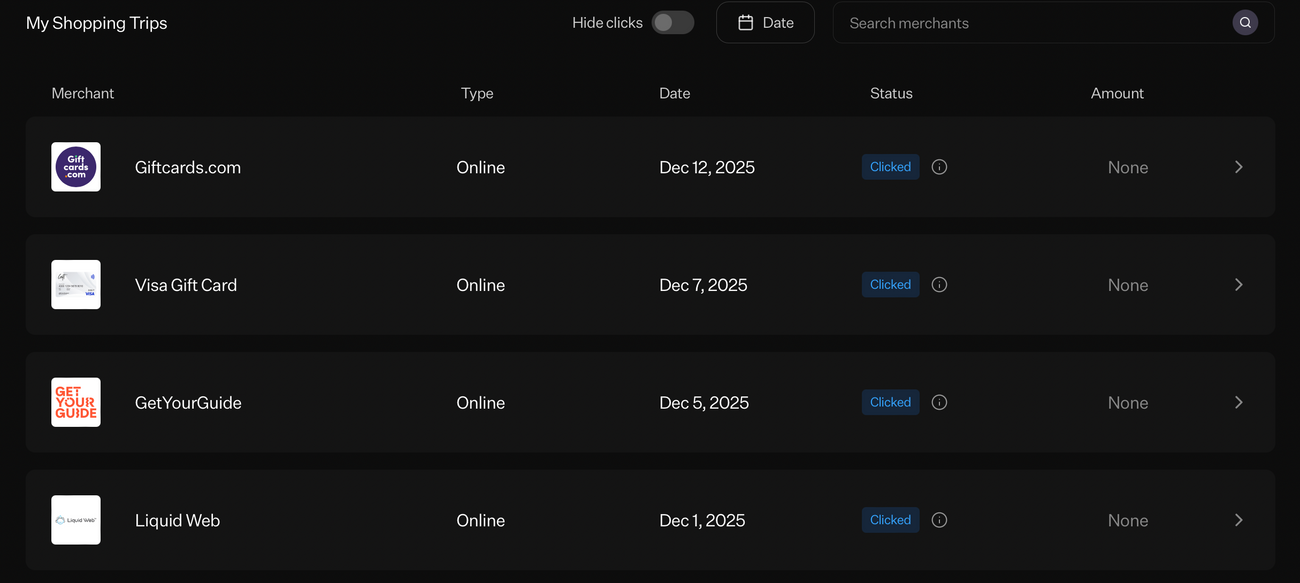
From there, click on the individual merchant to see transaction details. If a click has been registered but a shopping trip hasn't been completed, you'll see "Don't see the miles pending yet?" at the bottom. Note that this option only appears if at least 10 days have passed.
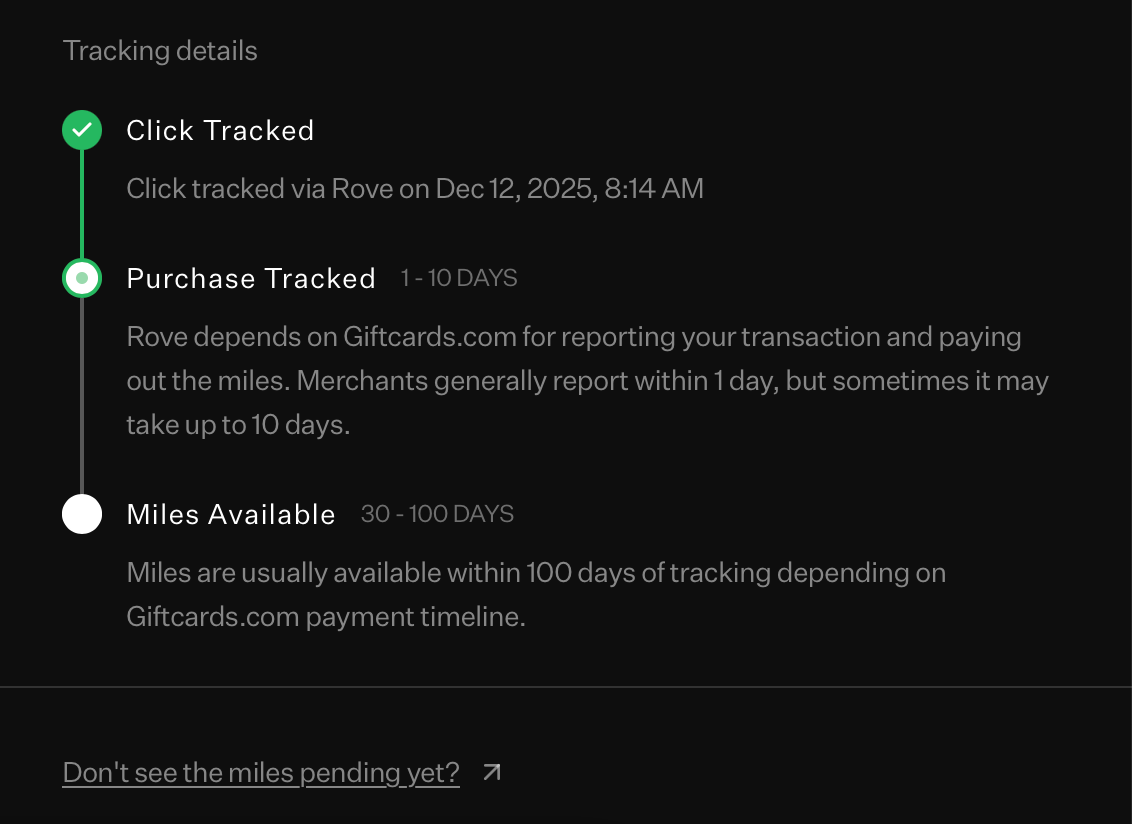
Click this, and you'll be walked through the claims process.
4. We’ll review and get back to you.
Once you've filed your claim, our team will reach out to the merchant on your behalf to ensure that your shopping trip is credited appropriately.
The time frame for this can vary between four to eight weeks based on which merchant we’re dealing with and whether any additional information is required. Once we have an update on your situation, we’ll reach out again with the details of your claim.
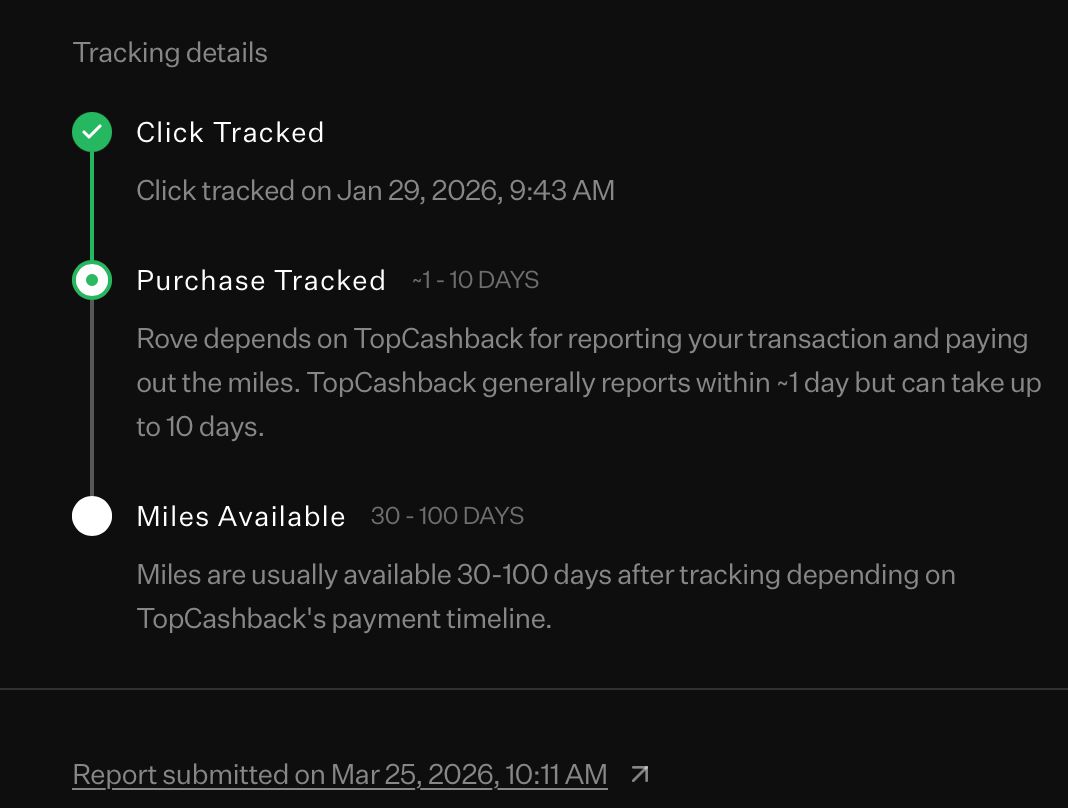
Note that if you'd like to view the details of the report you've submitted, simply open Shopping Trips and click the store for which you've made a claim.